Organizing
Counseling folders: anonymized by default
Like a Discussion folder, but the person is protected: they appear as a stable code, never a name.
A 🛋 Counseling folder works exactly like a Discussion folder - one person, auto-filing, a session-by-session living record, a Working on list - with one difference: the person is anonymized by default.
What anonymized means
When you link a person to a Counseling folder, QuestLog mints them a stable code (like P-7F3A) and from then on that code - never their real name - appears in:
- transcripts, summaries, notes and the living report,
- share links you create,
- exports (Markdown, PDF, full-account download),
- answers from Ask QuestLog and the Claude connector.
The same person always gets the same code, across every folder and recording. Their real name stays private on their person record (Voices panel), where only you see it.
Set it up
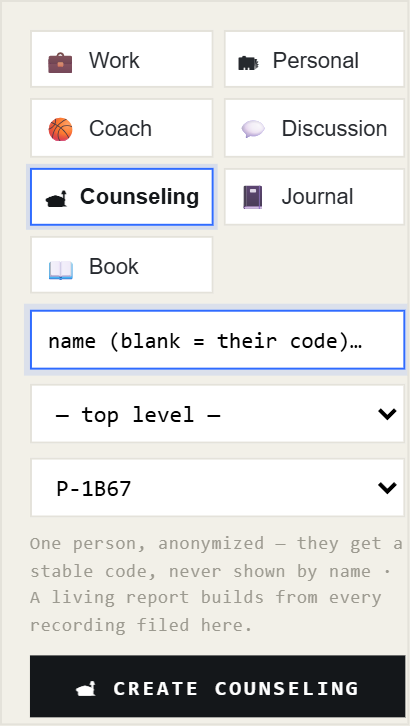
- Folders → + NEW → Counseling.
- Pick the person. The folder names itself by their code - a real name can't end up on it.
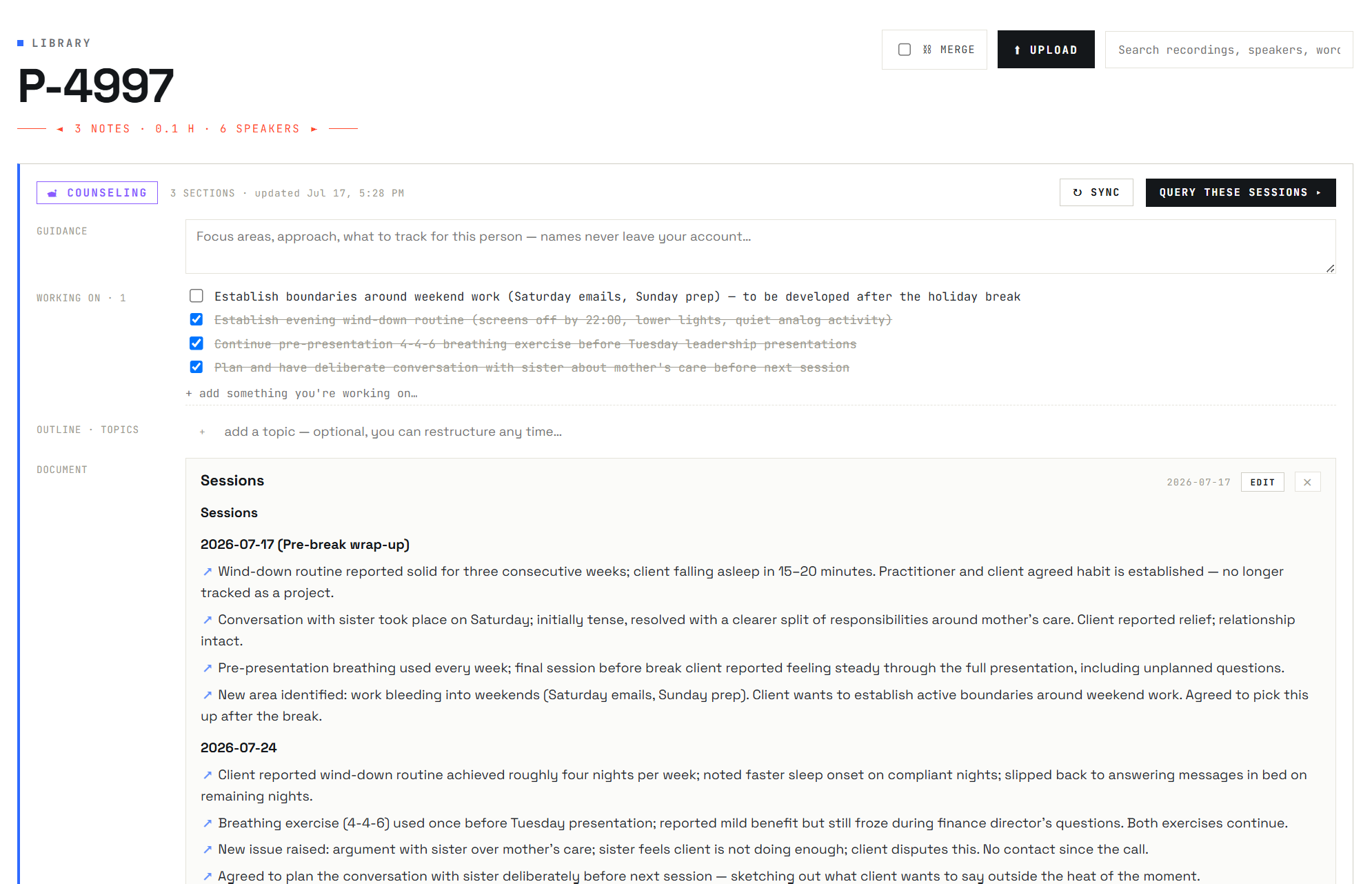
- Record sessions as usual: recognized sessions auto-file, and the record keeps the newest session at the top.
Notes for practitioners
- The session record stays factual and clinical; QuestLog never speculates about diagnosis.
- To anonymize everyone at once (for shareable reports), turn on Settings → Anonymize speakers.
- You can also anonymize any individual from the Voices panel (the 🕶 toggle), and un-anonymize the same way - their code stays reserved.
- Share links created before you anonymized someone keep their old content - revoke and re-share those.